Every ITSM practice, connected: incidents, problems, changes, requests and assets in one flow
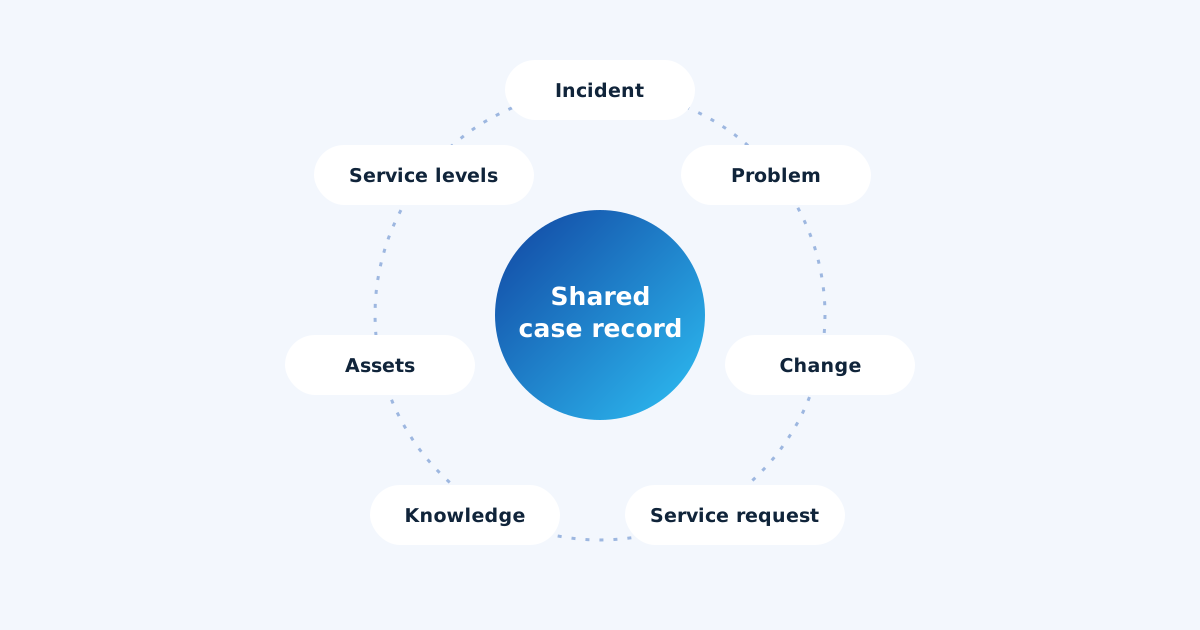
Most IT teams know the ITSM practices by name: incident, problem, change, request, knowledge. Fewer have them connected. In a lot of service desks each practice is a separate module with its own list, and the links between them depend on someone remembering to type a reference into a field. ServAIceDesk treats the practices as one flow over a shared case record, so each one makes the others smarter.
Incident management
Incidents arrive from people and from machines. A user’s email and a monitoring alert about the same outage end up on the same incident, with priority set from impact and urgency rather than from whatever the alert called itself. Major incidents get a service announcement that requesters see as a banner, so they stop reporting the same outage. When the incident is resolved, the announcement ends with it.
Problem management
Problems are where recurring pain gets fixed for good, and they are the practice small teams most often skip, because nobody has time to spot the pattern. ServAIceDesk spots it for you: when similar incidents keep coming back within a period, it suggests a problem for review. Once you understand it, you record the known error and its workaround, and share the workaround with every linked incident in one step. Resolving the problem can resolve the incidents it explains.
Change enablement
Changes carry their plan, risk, window and the services and assets they touch. Overlapping windows on the same service or asset are flagged before anyone approves them. Approval can be a single owner or a change advisory board vote. And because incidents can be linked to the change that caused them or the change that fixed them, the change failure rate is a report, not a guess.
Service request management and the catalog
Requesters pick from a catalog of request forms, each with its own questions, entitlement rules and approvals (one approver, any of several, or all of them, in stages). Fulfilment can be done by a person, by the built-in automation (answer, article, task list), or by a connected tool. Approved requests carry the routing their form decided, so they reach the right team without manual triage.
Knowledge management
Articles live in the same product as the cases they answer. They can be imported in bulk from CSV, Markdown or HTML, go through approval if you want a review step, and are suggested on cases and sent with replies. Requesters see them in the portal before they raise a request, which is the cheapest ticket of all: the one never opened.
Asset management
A simple asset register records what you own, who uses it, where it is and when its warranty ends. Assets link to cases, so an agent sees the requester’s laptop and its history on the case, and a requester can pick which of their devices a new request is about. Assets with several open cases stand out, which is often the first sign of a problem.
Service level management
Service levels are targets per case type and priority, measured in your business hours. Every case shows when its first response and resolution are due, overdue work is surfaced on the home screen and in the queue, and reports show how you did against the targets over time. Escalation contacts are notified when something breaches.
Why connecting them matters
Each practice on its own is useful. Connected, they compound:
- Monitoring feeds incidents, recurring incidents feed problems, and problems feed changes that fix them.
- Changes are checked against the assets and services that incidents happen on.
- Knowledge written for a problem’s workaround answers the next incident automatically.
- Service levels and reports see the whole flow, not one module at a time.
This is what “ITIL 4 aligned” should mean for a small team: not a dozen modules to administer, but practices that keep each other up to date.
Related: how AI takes routine work off a lean IT team, and all capabilities.