From noisy alerts to one incident: monitoring and security events in ServAIceDesk
A storage array that slows down does not send one alert. It sends one every check interval, from every host that notices, until someone fixes it. Add a security tool that flags every failed login and a backup job that runs late, and a small team is soon reading alerts instead of fixing anything. ServAIceDesk turns that stream into a short list of incidents that each carry their evidence.
Connecting a monitoring tool
Each monitoring tool gets its own address and its own signing secret in Settings. The tool sends a short JSON event — what happened, how severe it is, which device it is about, and whether the condition is open or has recovered — signed with the secret. Unsigned or stale events are refused, and one tool can never send events as another. If a secret leaks, you replace it in one click.
Correlation: one condition, one row
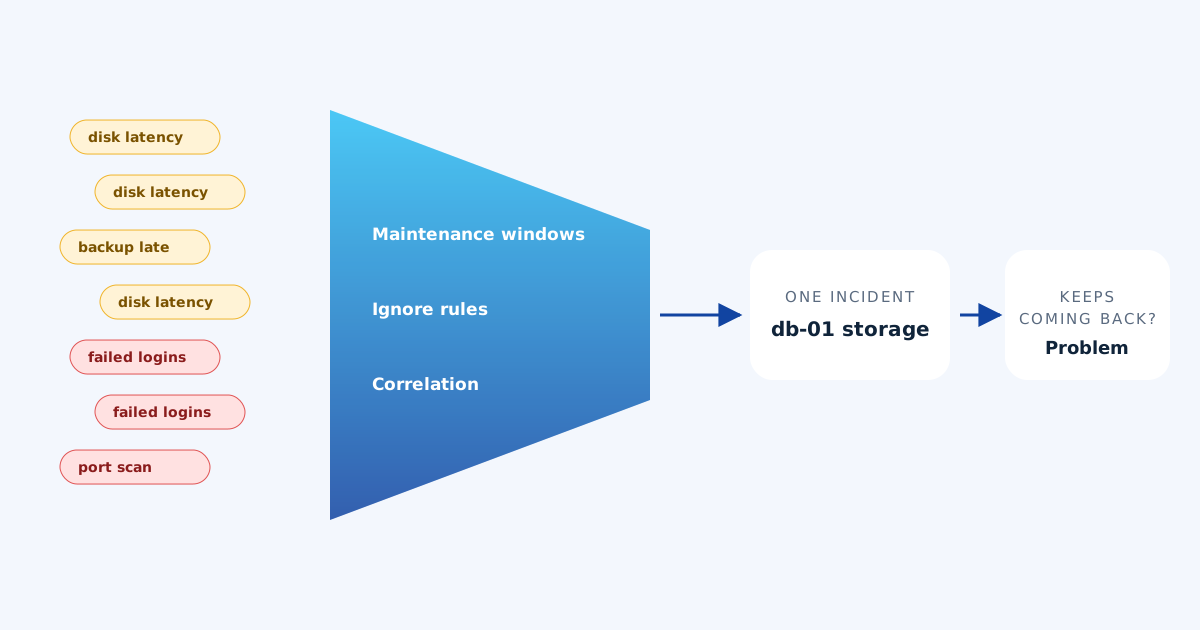
Events about the same condition are recognised as the same thing, using a correlation key or the device and alert type. Repeats are counted on one row instead of creating new records, and a condition that recovers and comes back within a short window reopens its incident rather than starting a fresh one. Incidents are opened only when a condition is real: priority comes from the impact and urgency of the affected service, not from the label on the alert.
When all the alerts behind an incident have recovered, ServAIceDesk notes it on the incident and asks a person to verify, instead of closing it silently. Recovery of a symptom is not always the fix.
Maintenance windows: planned work stays quiet
When you patch a database server on Saturday night, its alerts are expected. A maintenance window mutes alerts from a monitoring tool, a service or a single device for a set period: the events are still recorded as evidence, but they do not open incidents or wake anyone up. Windows can be ended early or cancelled if plans change.
Ignore rules for known noise
Some alerts are never worth a person’s attention: a test server that always runs hot, a check that warns about something you have accepted. Ignore rules match on the tool, alert type, severity, device or service; matching events are kept on record but never open an incident. Rules can be switched off when you want to see that noise again.
Security signals, grouped
Security tools are the noisiest of all. ServAIceDesk connects to your security monitoring and groups related findings — the same user, the same machine, the same attack pattern — into situations an agent can act on. Shared accounts such as service users are excluded from linking, so one busy account does not tie unrelated alerts together. Accepted findings, like your own vulnerability scanner, can be ignored with a reason and an expiry date.
When it keeps happening: problems
The last step closes the loop. When the same kind of incident keeps coming back, or an alert keeps flapping, ServAIceDesk suggests a problem, so the underlying cause gets investigated and fixed instead of being handled again next week. That is where alert handling stops being firefighting and starts improving the service.
The result
Your monitoring and security tools keep doing what they do best: watching. ServAIceDesk does the part a small team cannot: reading everything, deciding what is new, and presenting it as one incident with the context attached — next to the requests, changes and assets it relates to.
Read how the practices connect in every ITSM practice, connected, or see how your data is protected.